
At a Glance:
Assess Your Workplace Needs First
Choose the Right Hardware and Software
Build a Reliable Network Infrastructure
Design Meeting Spaces That Actually Work
Make It Easy for Employees to Use
If your meetings feel disorganized, audio cuts out, or remote employees struggle to stay engaged, your current setup isn’t doing its job. Poor video calls waste time, slow decisions, and create frustration across teams. With more companies relying on video conferencing solutions, getting this right isn’t optional anymore.
This guide walks you through how to build a system that actually works in real-world conditions. From choosing the right hardware to setting up reliable infrastructure, we’ll focus on practical steps you can apply right away.
Here’s what you’ll learn:
- How to match video conferencing solutions to your team’s actual needs
- What hardware and software improve workplace productivity
- How to create meeting spaces that support better communication and a remote collaboration tool
Learn More: Elevate Your Business Meetings with Conference Room AV Systems
Upgrae Your Conference Room
Discover the benefits of updating your conference room with modern technology. From reliable networks to displays and microphones, the experts at Bjorn's have all the solutions to your meeting space needs.
Conference Room SolutionsAssess Your Workplace Needs First
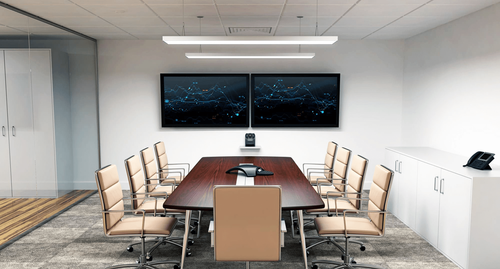
Before buying equipment, take a step back and look at how your team works. Not every office needs the same setup, and overbuilding can be just as problematic as underbuilding.
A good place to start is with meeting size and frequency. Are you running daily team check-ins, large presentations, or client-facing calls? A small huddle room setup requires very different tools than a boardroom.
Next, consider your workforce structure. If you’re running a hybrid team, your hybrid work technology needs to support both in-office and remote participants equally. This is where meeting equity becomes important. Everyone should be able to see, hear, and contribute without friction. There are many setups that can potentially work with your space and employees. Don't be afraid to research the possibilities.
It also helps to look at what’s currently not working. Common issues include:
- Poor conference room audio
- Lag from insufficient network bandwidth requirements
- Complicated interfaces that slow down meetings
Choose the Right Hardware and Software

Once you understand your needs, the next step is choosing tools that actually solve those problems.
Start with cameras. High-quality 4K meeting cameras make a noticeable difference, especially in larger rooms. They improve clarity and help remote participants feel more connected to the conversation.
Audio matters even more. Clear conference room audio is the difference between a productive meeting and constant repetition. Look for systems that include echo cancellation and directional microphones.
On the software side, consistency is key. Platforms that support unified communications bring messaging, calls, and meetings into one place. This reduces friction and helps teams move faster.
If your company already uses platforms like Teams or Zoom, look for hardware that supports Microsoft Teams hardware or Zoom Rooms integration. Native compatibility simplifies setup and reduces troubleshooting.
Don’t overlook wireless screen sharing either. It saves time and keeps meetings moving without cable issues.
Build a Reliable Network Infrastructure

Even the best equipment won’t perform well without a solid network behind it.
Start by evaluating your network bandwidth requirements. Video calls, especially in 4K, consume more data than most people expect. If your network is already stretched, you’ll see lag, dropped calls, and poor video quality.
A few practical tips:
- Prioritize video traffic on your network
- Use wired connections for conference rooms when possible
- Separate guest and internal networks
Security is another key factor. Strong video conferencing security protects sensitive conversations and prevents unauthorized access. This includes encrypted connections, secure logins, and controlled access to meeting rooms.
If the process feels overwhelming, working with a professional team can help. Bjorn’s offers services like commercial solutions focused on designing systems that balance performance and security without overcomplicating things.
Design Meeting Spaces That Actually Work
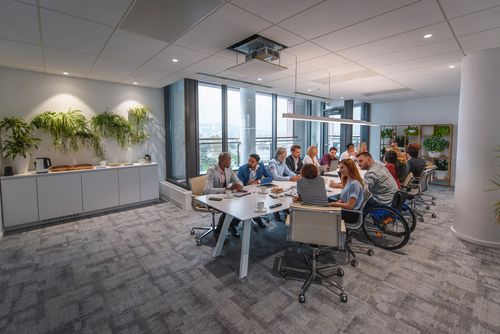
Technology alone won’t fix a poorly designed space. The physical environment plays a big role in how effective your meetings are.
Start with room size and layout. A proper huddle room setup should feel simple and accessible, while larger rooms need structured layouts that support visibility and sound distribution.
Lighting is often overlooked. Good lighting improves video quality more than most people expect. Avoid harsh overhead lights and aim for even, natural lighting when possible.
Sound control is just as important. Echo and background noise can ruin even the best video conferencing solutions. Soft materials like carpets, wall panels, and curtains help absorb sound and improve clarity.
This is where audiovisual integration really matters. A well-integrated system ensures that cameras, microphones, and displays all work together without constant adjustments. We have many tips and tricks you can check out to make your conference room more effective.
Make It Easy for Employees to Use
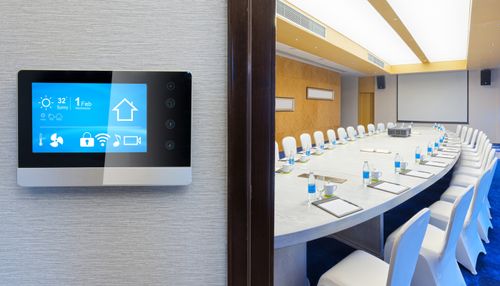
Even the best system will fall apart if it feels confusing or unreliable to the people using it every day. The goal isn’t just to install good video conferencing solutions, it’s to make them feel effortless.
Start with simplicity. Meetings should launch in seconds, not minutes. If employees have to troubleshoot settings every time they join a call, adoption drops fast. This is where well-designed unified communications platforms make a difference. When chat, video, and scheduling all live in one place, people don’t have to think about which tool to use.
Standardization also helps. Try to keep the same setup across rooms and teams. If every space uses different controls or platforms, employees waste time relearning the system. Consistency improves confidence and reduces mistakes.
Training doesn’t need to be complicated, but it does need to happen. A short onboarding session should cover the basics like:
- How to start and join meetings
- How to use wireless screen sharing
- Basic troubleshooting steps
You can also create quick-reference guides or short internal videos. These are especially helpful for new hires or employees who don’t use the system every day.
It’s also worth addressing small habits that make a big difference. Encourage employees to:
- Join meetings a minute early to check audio and video
- Position cameras at eye level for better engagement
- Mute when not speaking to improve overall conference room audio
For hybrid teams, usability directly impacts meeting equity. If remote participants struggle with audio, video, or screen visibility, they’re less likely to contribute. A smooth, user-friendly system keeps everyone involved and improves collaboration across locations.
Finally, don’t ignore feedback. If employees consistently run into the same issues, that’s a sign something needs to be adjusted. Small changes, like simplifying login steps or improving device compatibility with remote collaboration tools, can have a big impact on day-to-day experience.
When your system is simple to use, meetings become more focused, participation improves, and your investment in video conferencing solutions actually pays off.
Work with Professionals When It Makes Sense
There’s a point where trying to piece everything together internally starts costing more time than it saves. Basic setups might work for a small team, but once you’re dealing with multiple rooms, hybrid teams, or client-facing meetings, things get more complex quickly. That’s when bringing in experts for professional AV installation becomes the practical move.
A professional team doesn’t just install equipment. They look at how your space, network, and workflows all connect. That matters because even high-end gear won’t perform well if it’s not properly integrated. Strong audiovisual integration ensures your cameras, microphones, displays, and control systems work together without constant adjustments or technical hiccups.
They also help you avoid common mistakes. For example, mismatched hardware can create compatibility issues with Microsoft Teams hardware or limit your ability to use Zoom Rooms integration effectively. Professionals make sure everything is aligned from the start, so you’re not patching problems later.
Scalability is another big factor. As your business grows, your video conferencing solutions should grow with it. A well-planned system makes it easier to add new rooms, upgrade equipment, or expand capabilities without starting over. This is especially important for companies investing in long-term hybrid work technology.
There’s also the issue of performance under real conditions. Professionals account for things like room acoustics, lighting, and network bandwidth requirements. They design systems that hold up during busy workdays, not just in ideal test scenarios.
Ongoing support is often overlooked, but it makes a big difference. When something goes wrong, having access to experienced technicians means faster fixes and less downtime. That keeps your team focused on work instead of troubleshooting.
If you’re considering this route, it’s worth exploring providers like Bjorns. We specialize in building tailored systems that balance performance, usability, and long-term reliability. And when you’re ready to plan your setup or ask specific questions, reaching out directly can save time and help you avoid costly missteps.
At the end of the day, investing in expert support isn’t about adding complexity. It’s about removing it. A well-designed system should feel simple to use, reliable under pressure, and ready to support your team as your workplace evolves.
Learn More: Benefits of Bjorn's: Why Locals Choose Our San Antonio Integrators
Final Thoughts
Implementing effective video conferencing solutions comes down to getting the basics right. You need the right equipment, a stable network, and spaces designed for real conversations. When those pieces come together, meetings become more productive and far less frustrating.
More importantly, strong systems support better communication across teams. Whether your employees are in the office or remote, the right setup improves collaboration, speeds up decisions, and boosts overall workplace productivity.
Frequently Asked Questions
At minimum, you need a camera, microphone, speakers, and a stable internet connection. For better results, invest in 4K meeting cameras and dedicated audio systems.
It depends on quality, but most offices should plan for higher network bandwidth requirements if multiple meetings happen at once.
Use dedicated microphones, reduce background noise, and optimize your conference room audio setup with proper placement and sound treatment.
Yes, if configured correctly. Strong video conferencing security includes encryption, password-protected meetings, and controlled user access.
Why Trust Bjorn’s?
Choosing a partner for residential or commercial solutions is about more than just equipment; it's about expertise and long-term support. As a second-generation, family-owned San Antonio business, Bjorn's has built its reputation on a foundation of trust. Unlike a typical retail store, we are one of the few dealers in the country that specializes in both high-end equipment sales and the complex design and installation of full-scale, custom audio-video systems. This comprehensive expertise ensures your project is designed to perform flawlessly from the ground up.
Our commitment to you doesn't end when the installation is complete. One of the most significant reasons our customers trust us is our extensive, in-house service department. While other stores may send you to an uninterested third party for help, we believe in servicing what we sell. We treat our customers like friends and family, and if you ever have a problem, we want to be the ones to take care of it. That is our commitment to managing your "electronic lifestyle" for years to come.